Copying all DBeaver configuration from one computer to another
This article explains how to copy your current DBeaver connection from one computer to another.
Instead of installing all drivers again and instead of creating your connections from scratch, it is actually very simple to copy the DBeaver configuration from one computer to another.
Step 1: Find Your Workspace Path
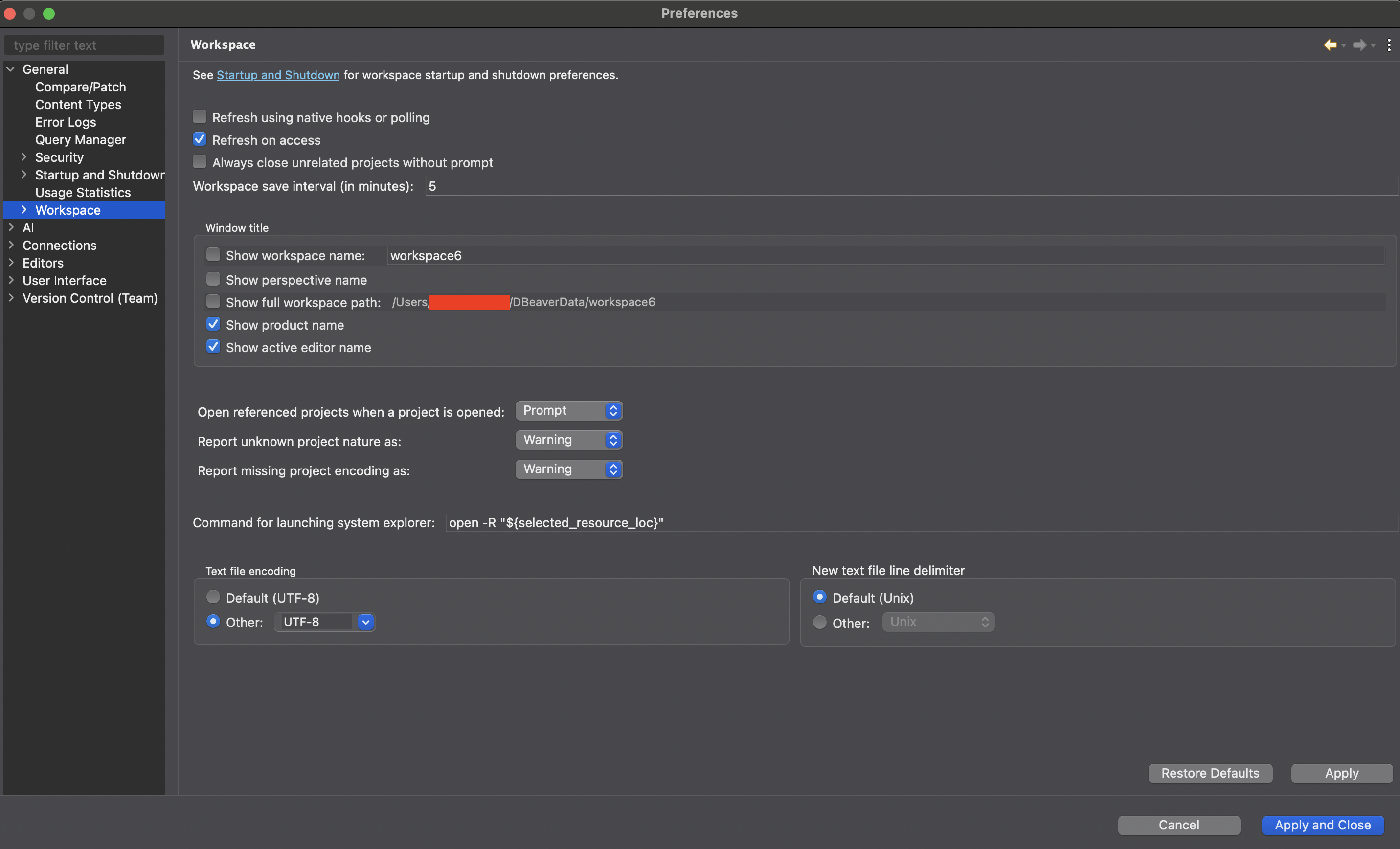
First, discover where the configuration is stored on the source computer. You can check this easily in the Preferences:
Menu → Preferences → Workspace
Check the path shown at "Show full workspace path":
Step 2: Copy the General Directory
Check this path in your filesystem. You will see a General directory. This directory contains:
- JSON files with all your connections
- Folders with your scripts
- Driver .jar files
Copy this General directory to your pendrive, cloud folder, or any transfer medium.
Step 3: Restore on Target Computer
On the target computer, repeat the same steps to discover the "full workspace path":
- Open DBeaver
- Go to Menu → Preferences → Workspace
- Note the workspace path
- Close DBeaver
- Overwrite the
Generalfolder with the one you copied from the source computer
Open DBeaver again. Voilà! Everything appears as it was on your source computer.
Alternative Method: Export/Import Individual Connections
You may also use the commands at File → Export and File → Import to transfer connections individually.
Quick Reference: Configuration Locations
For quick access, here are the default workspace paths by operating system:
macOS
/Users/yourusername/Library/DBeaverData/workspace6/General/.dbeaver/data-sources.jsonWindows
C:\Users\yourusername\AppData\Roaming\DBeaverData\workspace6\General\.dbeaver\data-sources.jsonLinux
/home/yourusername/.local/share/DBeaverData/workspace6/General/.dbeaver/data-sources.jsonThis method saves you significant time when setting up DBeaver on a new machine or when migrating between computers!